Managing output with pipes
When dealing with processes, the output of those processes is important. In this section, we will discuss how to manage the output of processes in different ways.
Standard file descriptors
When a program often write output to the console,
this is called standard output, or stdout. The shell defines stdin, stdout, and stderr for every program.
| # | Common name | Description |
|---|---|---|
0 |
stdin |
Attached to programs for input data |
1 |
stdout |
Attached to programs for output data |
2 |
stderr |
Attached as a secondary output for errors |
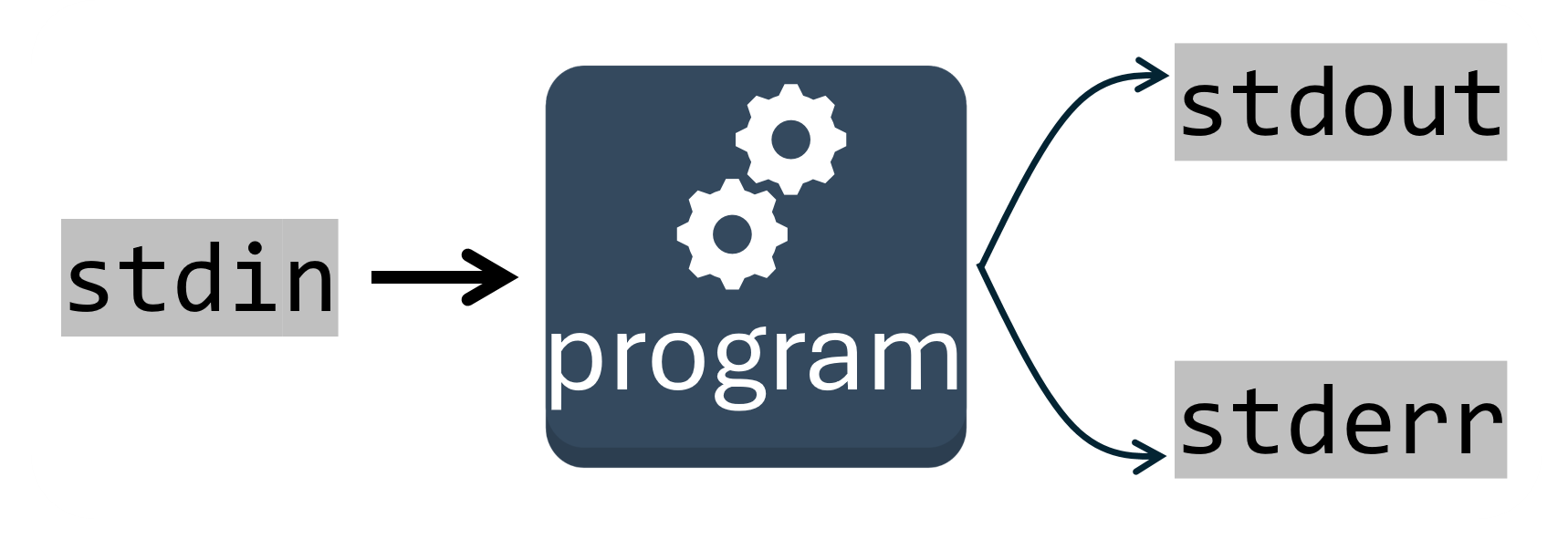
You can also redirect these file descriptors to attach to files other than the console.
Redirection notation
| Notation | Meaning |
|---|---|
< FILE |
Read stdin from FILE |
> FILE |
Write stdout to FILE |
>> FILE |
Append stdout to FILE |
2> FILE |
Write stderr to FILE |
2>> FILE |
Append stderr to FILE |
| PROGRAM |
Join stdout to stdin of PROGRAM |
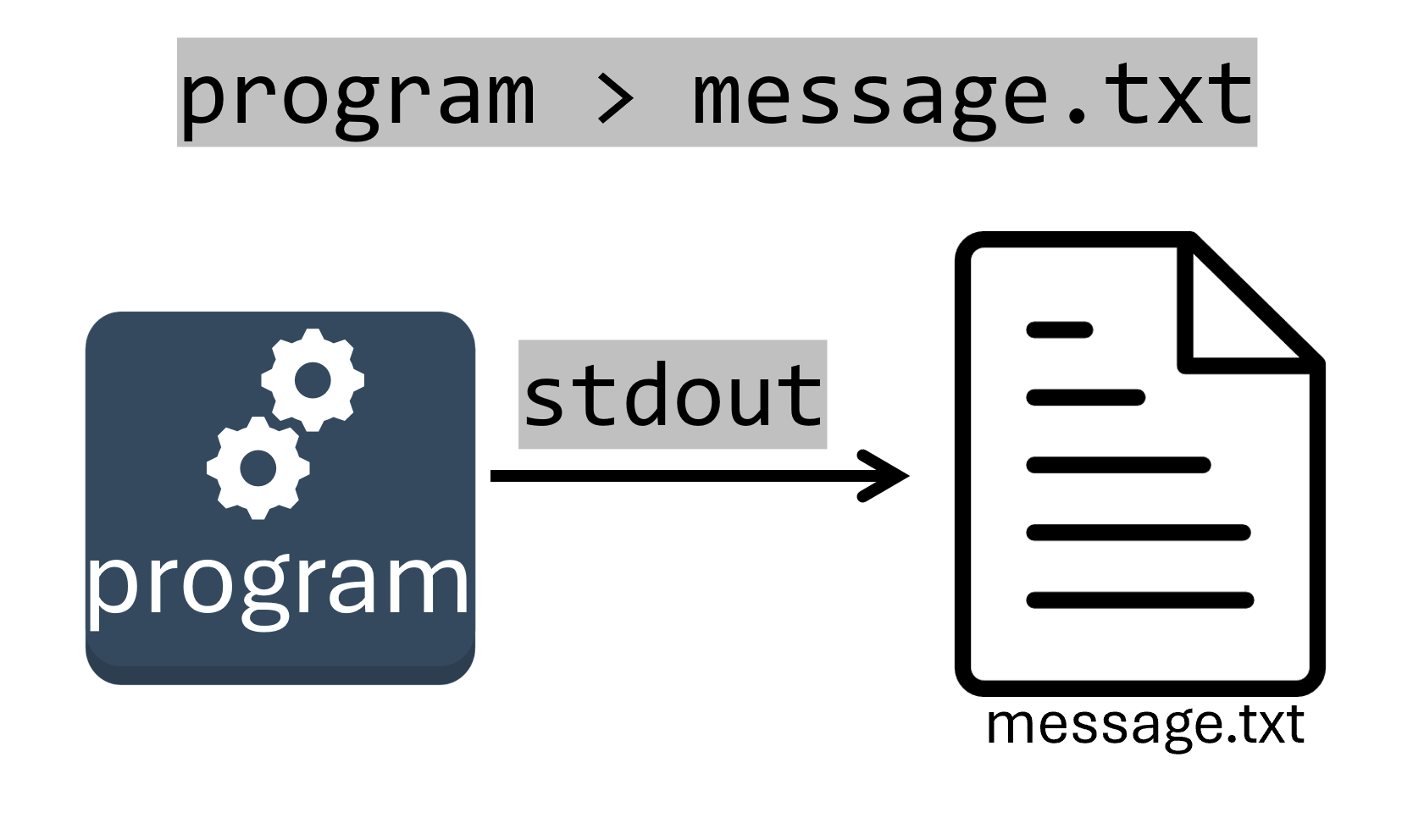
The following example redirects the stdout from our program (the "Hello, world!" text it prints) from the console into the file message.txt.
cat program:
We can also use the output (stdout) of the cat program (again, the "Hello, World!" text) to the input (stdin) of another program with a pipe(|). We'll pass the output to the wc "word count" program which can count the words, lines, chars, etc of the provided input.
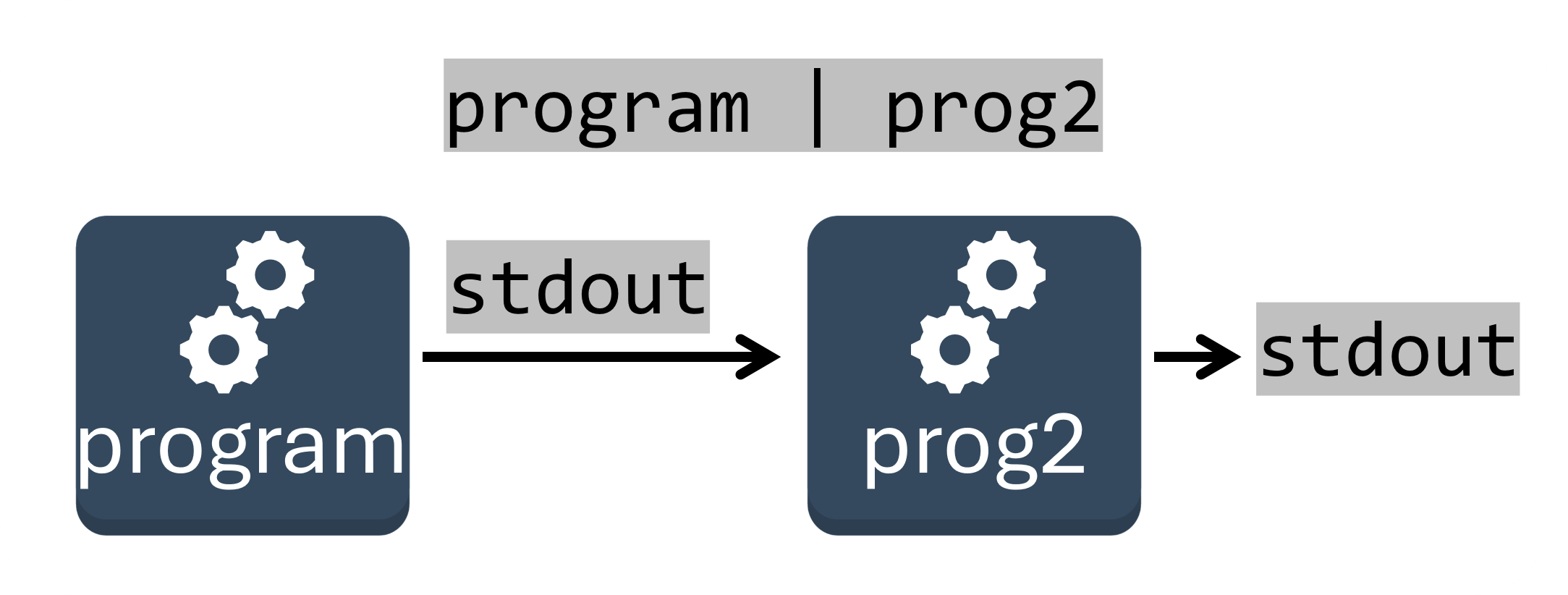
wc program
wc or the "word count program is a handy tool that allows us to count the number of words (--words), lines (--lines), or characters (--chars) from a file or stdin.
How might we see how many files we have in our current directory?
We could get a list of our files with ls, and pass the output to wc to count the number of lines.
Next section: Processes